
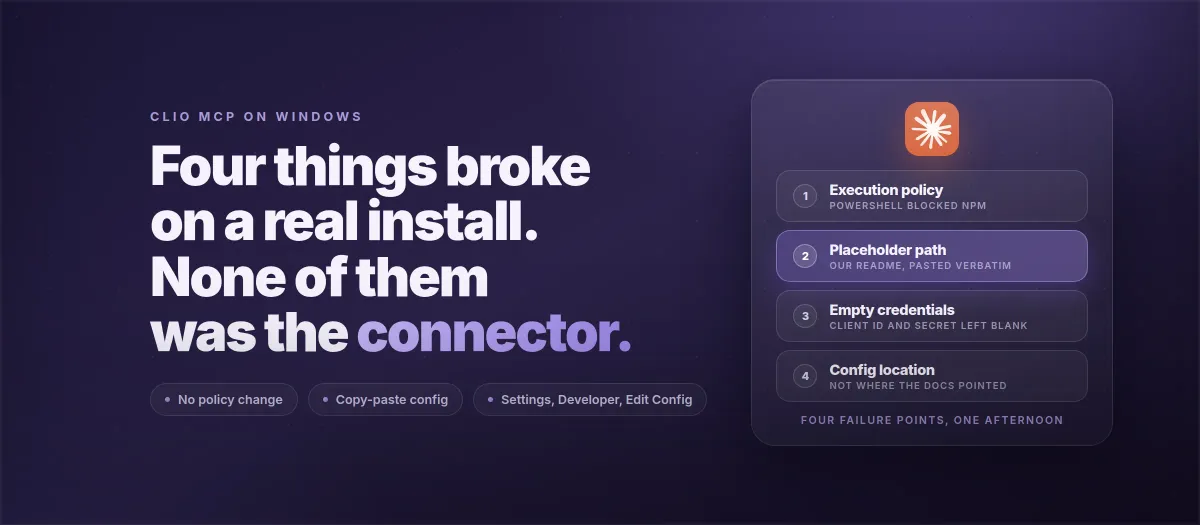
Quick answer: On a live Windows install of the Clio MCP connector, four things broke: PowerShell's execution policy blocked npm, a placeholder path from our README shipped as a real path, CLIO_CLIENT_ID and CLIO_CLIENT_SECRET stayed empty strings, and the Claude Desktop config wasn't where the docs pointed. None of the four is the connector.
4
things broke before Claude read a matter
0
of them inside the connector's code
3
self-installs in a row stalled at deployment
What were we installing, and on what?
The firm runs Clio, Zapier, and Claude Desktop. The attorney found the connector through its GitHub README, which makes him the first lead we can trace to that page, and he'd already tried the install on his own and stalled at the JSON step. We did the rest together on a call, on an ordinary Windows laptop with default settings; every failure below happened without anything unusual on the machine.
The connector is @oktopeak/clio-mcp on npm, version 2.0.1 as we write this. It runs on the user's machine as a child process of Claude Desktop, talks to Clio's API directly, and keeps the OAuth tokens encrypted with the key in Windows Credential Manager. The README documents a five-step clone-and-build route, and we followed it on the call, which is how we found out what's wrong with it. The three Windows traps from our MyCase MCP Windows guide (the npx wrapper, antivirus SSL interception, the OAuth port mismatch) apply to Clio unchanged and are folded into the config below.
Why did npm refuse to run in PowerShell?
Step one of the README says npm install, then npm run build. In PowerShell on his laptop, npm didn't run at all. PowerShell said running scripts is disabled on this system, which is the default execution policy on a fresh Windows install. npm on Windows is launched through a small PowerShell script called npm.ps1 that sits next to the real program, and PowerShell won't run scripts unless the policy allows it. Node itself was fine; node -v answered normally.
Most forum threads tell you to run Set-ExecutionPolicy RemoteSigned. We didn't. In a firm with managed IT that setting gets reset by group policy overnight or earns someone a ticket, and it's a wider change than the problem needs. Two narrower options work. Open Command Prompt instead of PowerShell (Windows key, type cmd, Enter) and run the same two commands there; cmd has no execution policy. Or stay in PowerShell and type npm.cmd install and npm.cmd run build, which calls the batch file directly and skips the script that was being blocked. Nothing on the machine changes either way.
Why did the config point at a folder that didn't exist?
This one is ours. The README's config example shows the path to the connector as /FULL/PATH/TO/clio-mcp/build/index.js, and a line further up gives /Users/yourname/clio-mcp as an example of what the path looks like. The attorney did what most people do with a code block: selected it, copied it, pasted it, and replaced the two values that looked like they needed replacing. The path looked like a path, so it stayed as it was. Claude Desktop then tried to start a program at a location that didn't exist on his laptop and showed its generic "Could not attach to MCP server" pop-up, which says nothing about paths.
A placeholder that resembles a real value gets shipped as one. That's a documentation bug and we own it; the README still has the old placeholder as this goes up. The README fix is a placeholder nobody could mistake for real, C:\Users\YOUR_WINDOWS_USERNAME\clio-mcp\build\index.js, used in the second config block below. The better fix removes the path entirely: the package is on npm, so Claude Desktop can fetch and run it with npx -y @oktopeak/clio-mcp, with no folder to point at and no build step. That's the first config block below, and since you never open a terminal it sidesteps the execution policy too.
Why were the client ID and secret empty?
The README example uses your_client_id and your_client_secret. On the call the config had "CLIO_CLIENT_ID": "" and "CLIO_CLIENT_SECRET": "". He'd cleared the placeholders meaning to come back after creating the Clio developer app, the path error took over, and the empty values got forgotten. Empty quotes are valid JSON, so nothing objects when the file's saved, and the failure only surfaces later, at the point where the connector has to identify itself to Clio.
The two values come from developers.clio.com. Sign in with the Clio login, open Developer Apps, click Add, name it anything, and set the redirect URI to exactly http://127.0.0.1:5678/callback. It has to be 127.0.0.1 rather than localhost, with no trailing slash, because Clio compares the string literally. Save, then copy the Client ID and Client Secret into the config with the quotes kept around them. Do this before opening the config file, so both values exist when you reach the line that needs them.
Where is the Claude Desktop config file on Windows, really?
The README, our MyCase guide, and most other guides say %APPDATA%\Claude\claude_desktop_config.json. On this laptop, following that path didn't get us to the file Claude Desktop was reading. We didn't stop to work out why on an attorney's afternoon, and we're not going to guess in print. What we did instead worked on the first try: in Claude Desktop, open Settings, click Developer, click Edit Config. Claude opens a file window on the config it's actually using, and creates the file if there isn't one yet. Right-click it, Open with, Notepad. Plain Notepad; Word and WordPad don't save plain text.
If the login itself refuses rather than the file being hard to find, the cause is usually the redirect URI or, on a trial older than a week, an account whose API access has quietly lapsed.
That button is now the only way we tell anyone to find the file. A path in the docs is a guess about someone else's machine; the button asks the application where its own config is.
What does a working Windows config look like?
Paste one of these two blocks into claude_desktop_config.json. If the file already has an mcpServers section with other connectors in it, add the "clio" entry inside it with a comma after the previous entry. Every placeholder here is written so it can't be mistaken for a real value.
Route A, from npm, no clone and no terminal. This is the one we recommend on Windows.
{
  "mcpServers": {
    "clio": {
      "command": "cmd",
      "args": ["/c", "npx", "-y", "@oktopeak/clio-mcp"],
      "env": {
        "TRANSPORT": "stdio",
        "CLIO_CLIENT_ID": "PASTE_YOUR_CLIO_CLIENT_ID",
        "CLIO_CLIENT_SECRET": "PASTE_YOUR_CLIO_CLIENT_SECRET",
        "CLIO_REGION": "us",
        "CLIO_REDIRECT_PORT": "5678",
        "NODE_OPTIONS": "--use-system-ca"
      }
    }
  }
}
Route B, from a cloned folder. Only if you've already run the clone-and-build steps (in Command Prompt, or with npm.cmd). Replace YOUR_WINDOWS_USERNAME with your Windows user folder name and keep the doubled backslashes; a single backslash inside JSON is an escape character and breaks the file.
{
  "mcpServers": {
    "clio": {
      "command": "node",
      "args": ["C:\\Users\\YOUR_WINDOWS_USERNAME\\clio-mcp\\build\\index.js"],
      "env": {
        "TRANSPORT": "stdio",
        "CLIO_CLIENT_ID": "PASTE_YOUR_CLIO_CLIENT_ID",
        "CLIO_CLIENT_SECRET": "PASTE_YOUR_CLIO_CLIENT_SECRET",
        "CLIO_REGION": "us",
        "CLIO_REDIRECT_PORT": "5678",
        "NODE_OPTIONS": "--use-system-ca"
      }
    }
  }
}
Line by line:
"command": "cmd"with"/c", "npx"at the front ofargsruns npx through the Windows command shell. Claude Desktop launchingnpxdirectly as the command fails on Windows with the "Could not attach" pop-up, same as for MyCase."TRANSPORT": "stdio"is required. Since version 2.0.0 the connector defaults to HTTP server mode, and without this line it stops withMCP_BASE_URL is required in HTTP mode, which reads like a networking problem."NODE_OPTIONS": "--use-system-ca"tells Node to trust the Windows certificate store. Firms with antivirus or a VPN that inspects HTTPS otherwise hitUNABLE_TO_VERIFY_LEAF_SIGNATUREwhen npx downloads the package. On a machine that doesn't need it, the line does nothing."CLIO_REDIRECT_PORT": "5678"has to match the port in the redirect URI you saved in the Clio developer app. If 5678 is taken on your machine, change both to 5679."CLIO_REGION": "us"selects the Clio server. Seteufor a firm that logs in ateu.app.clio.com. See the region note below before setting anything else.
What are the steps, in the order that worked?
About 30 minutes on a machine that's never seen Node, and none of it in PowerShell.
1. Install Node.js and Claude Desktop, then check Node from Command Prompt
Install Node.js LTS from nodejs.org with the default options, and Claude Desktop from claude.ai/download. Open Command Prompt (Windows key, type cmd, Enter), not PowerShell, and run node -v. Anything 18 or above is fine.
2. Create the Clio developer app and copy the two credentials
At developers.clio.com, open Developer Apps, click Add, name it, and set the redirect URI to exactly http://127.0.0.1:5678/callback. Save, then copy the Client ID and Client Secret somewhere you can paste from.
3. Open the config through Settings, Developer, Edit Config
In Claude Desktop open Settings, click Developer, click Edit Config. Claude opens a file window on claude_desktop_config.json. Right-click it, Open with, Notepad.
4. Paste the Windows config and replace the placeholders
Paste the Route A block from above. Replace PASTE_YOUR_CLIO_CLIENT_ID and PASTE_YOUR_CLIO_CLIENT_SECRET with the values from step 2, keep the quotes, keep TRANSPORT as stdio, save with Ctrl+S.
5. Restart Claude Desktop fully and authenticate with Clio
Close the window, right-click the Claude icon in the system tray (bottom right, near the clock) and choose Quit, then reopen from the Start menu. Closing the window alone leaves the old process running with the old config. In a new chat type authenticate with Clio. Your browser opens on Clio's login page; log in as normal until it says "Authentication successful". The first run downloads the package, so it takes a minute longer than later ones.
6. Verify, and read the log if it didn't work
Type check my Clio auth status. You should see your Clio user ID and the token expiry. If you don't, the pop-up in Claude won't tell you why; open %APPDATA%\Claude\logs\mcp-server-clio.log in Notepad and read the last 30 lines. One more sign from the call: with the connector not yet loaded, Claude reached for the firm's Zapier connection instead and wandered through its discovery steps. If Claude looks for Clio through some other tool, the connector isn't running.
On the plan you sign in with: a personal Pro or Max subscription is fine for testing on non-privileged data. Matter content is sent to Anthropic for inference on every plan; on Team, Enterprise, or the API, training is disabled and zero data retention can be set, so content isn't used for training and isn't stored after the response. Settle that before the first real matter goes through; the plan comparison has the detail.
Which Clio region can you set?
CLIO_REGION takes us or eu in the version on npm today. Set anything else and the current release quietly uses the US server, which is the bug we described in the Australian data region post. The next release adds au and ca as proper values and stops with an error naming the valid options if it sees anything it doesn't recognise. The pull request is open on GitHub. Until it's merged and published, an Australian or Canadian firm shouldn't expect the connector to reach its region.
What does one afternoon on Windows say about the install?
This was the third self-install in a row that stalled at deployment rather than at the product: a nine-attorney Oregon firm's tech champion installed the connector himself and didn't want paid setup, a second prospect built the Clio-to-Claude flow alone and a $6,200 pilot with us never started, and this attorney got as far as editing JSON on Windows. Our read is that the free connector has an install-shaped cliff in front of it, and the people most likely to reach the cliff are the ones least likely to pay for help crossing it.
Mac-only docs have already cost someone an evaluation. In July the Oregon firm's attorney told us why he'd picked our connector over a solo developer's: the other one's install docs were written for Mac and the firm runs Windows. We didn't have a Clio Windows guide either, only the MyCase one with a note saying the fixes carry over. This post is that guide.
Three things go into the README because of this call: the obviously fake placeholder, Settings, Developer, Edit Config ahead of any filesystem path, and a Windows section covering the execution policy. The one-command installer that's been "planned for v0.2" for a while now has its argument. None of that is in the published README yet, so this page is the fix until it is.
What should you send us if it still fails?
Email office@oktopeak.com with as many of these as you can; with all eight we can usually answer without a call.
- Which route you used, A (npx) or B (cloned folder).
- Your config block with the secret blanked out. Keep the client ID in; it's not sensitive on its own.
- The last 30 lines of
%APPDATA%\Claude\logs\mcp-server-clio.log, and ofmcp.logif it's there. - The output of
node -vandnpm.cmd -vfrom Command Prompt. - The redirect URI exactly as it's saved in the Clio developer app. A screenshot is fine.
- The hostname you see after logging in to Clio in the browser (
app.clio.com,eu.app.clio.com, or another). - Whether the laptop runs antivirus or a VPN that inspects HTTPS, if you know.
- What Claude says, word for word, when you type
check my Clio auth status.
Want it installed without the afternoon?
We built and maintain the open-source Clio MCP server. If the steps above are more than you want to take on, Guided MCP Setup does the install in one session with scoped credentials and the audit log wired in. For more than one attorney, Firm Deployment runs the connector from one server the firm controls, so nobody edits JSON on their own laptop.
Book a 30-minute call →Frequently asked questions
Why does npm not run in PowerShell on Windows?
Because npm on Windows is launched through a small PowerShell script (npm.ps1), and PowerShell's default execution policy on a fresh Windows install refuses to run scripts. You'll see a message saying running scripts is disabled on this system. Node itself is fine; node -v answers normally. You don't need to change the policy. Open Command Prompt instead of PowerShell and run the same npm commands there, or stay in PowerShell and type npm.cmd instead of npm, which calls the batch file directly. Both leave the machine's policy exactly as IT set it.
Where is the Claude Desktop config file on Windows?
Most guides, including the connector's README, give the path %APPDATA%\Claude\claude_desktop_config.json. On the laptop we installed on, following that path didn't get us to the file Claude Desktop was reading. The reliable way is inside Claude Desktop itself: open Settings, click Developer, click Edit Config. Claude opens a file window on the config it's actually using and creates the file if it doesn't exist yet. Open it with Notepad, paste the config block, save, then quit Claude Desktop from the tray icon and reopen it.
Does the Clio MCP connector run on Windows?
Yes. The connector is plain Node.js and runs on Windows, macOS, and Linux; on Windows the key that encrypts the stored OAuth tokens lives in Windows Credential Manager. What differs on Windows is the Claude Desktop config: the command has to be cmd with /c npx as the first arguments, TRANSPORT has to be set to stdio, and NODE_OPTIONS set to --use-system-ca avoids the UNABLE_TO_VERIFY_LEAF_SIGNATURE error on machines with antivirus or VPN software inspecting HTTPS. The four failures we hit on a live install in August were all around the connector (PowerShell policy, a placeholder path, empty credentials, the config location), none inside it.
Which Clio regions does the Clio MCP connector support?
The version on npm today (2.0.1) accepts CLIO_REGION set to us or eu. Any other value falls through to the US server, app.clio.com, without a warning. The next release adds au (au.app.clio.com) and ca (ca.app.clio.com) as proper values and stops with an error naming the valid options if it sees anything else; the pull request is open on GitHub. Until that release is published, an Australian or Canadian firm shouldn't expect the connector to reach its region. Clio fixes the region when the account is created, and the value you set has to match the hostname you see in the browser after logging in to Clio.
